Cobb Stage 1+ CAN Flex Fuel Redline Carbon Fiber Power Package - Ford F-150 Ecoboost Raptor 2017-2020
Emissions
NOT LEGAL FOR SALE OR USE IN CALIFORNIA ON ANY EMISSION CONTROLLED MOTOR VEHICLE.
Testing with the California Air Resources Board, in order to achieve 50-state compliance, is pending. Once testing is complete with California, and an EO number is issued, this product will be updated to 50-state legal status.
Description
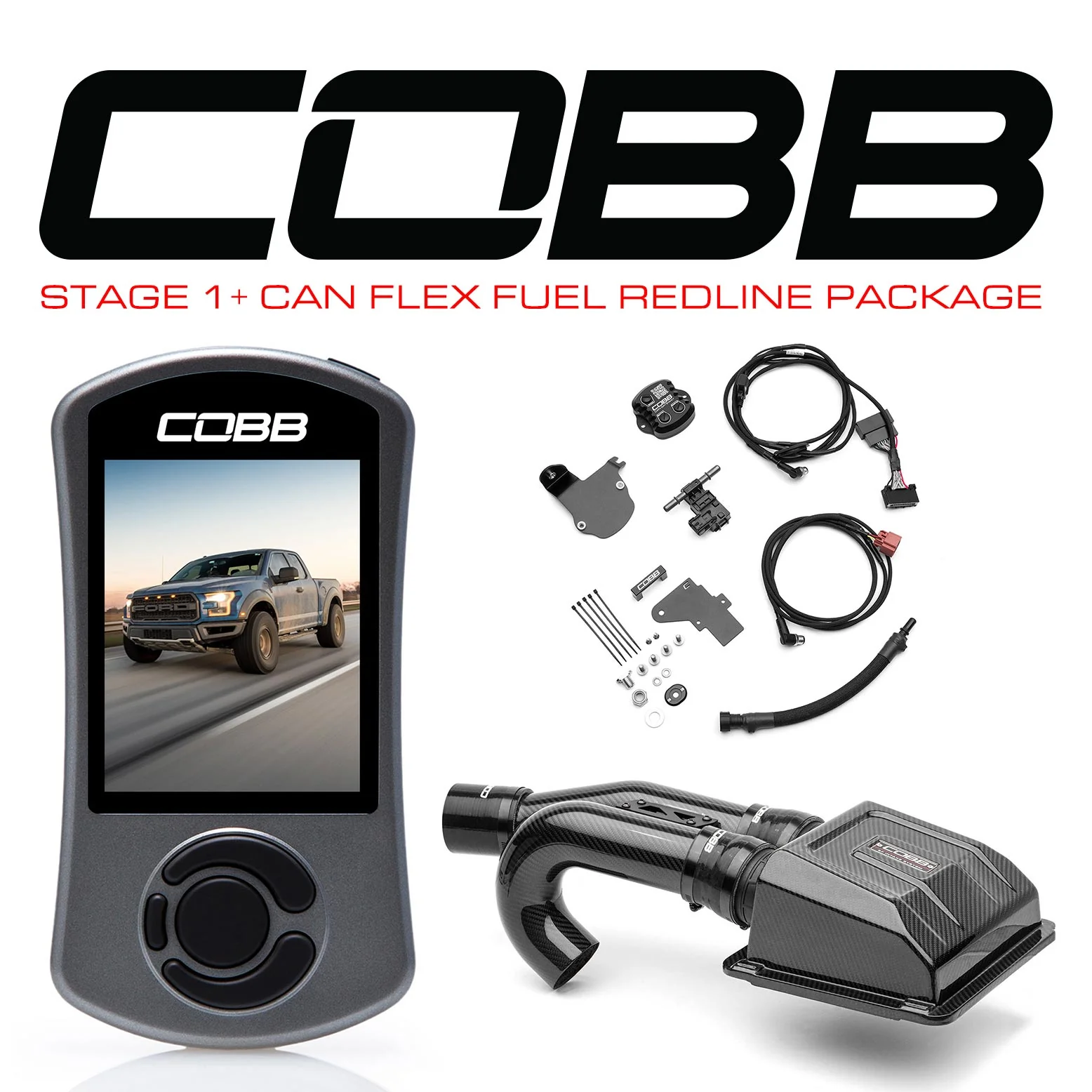
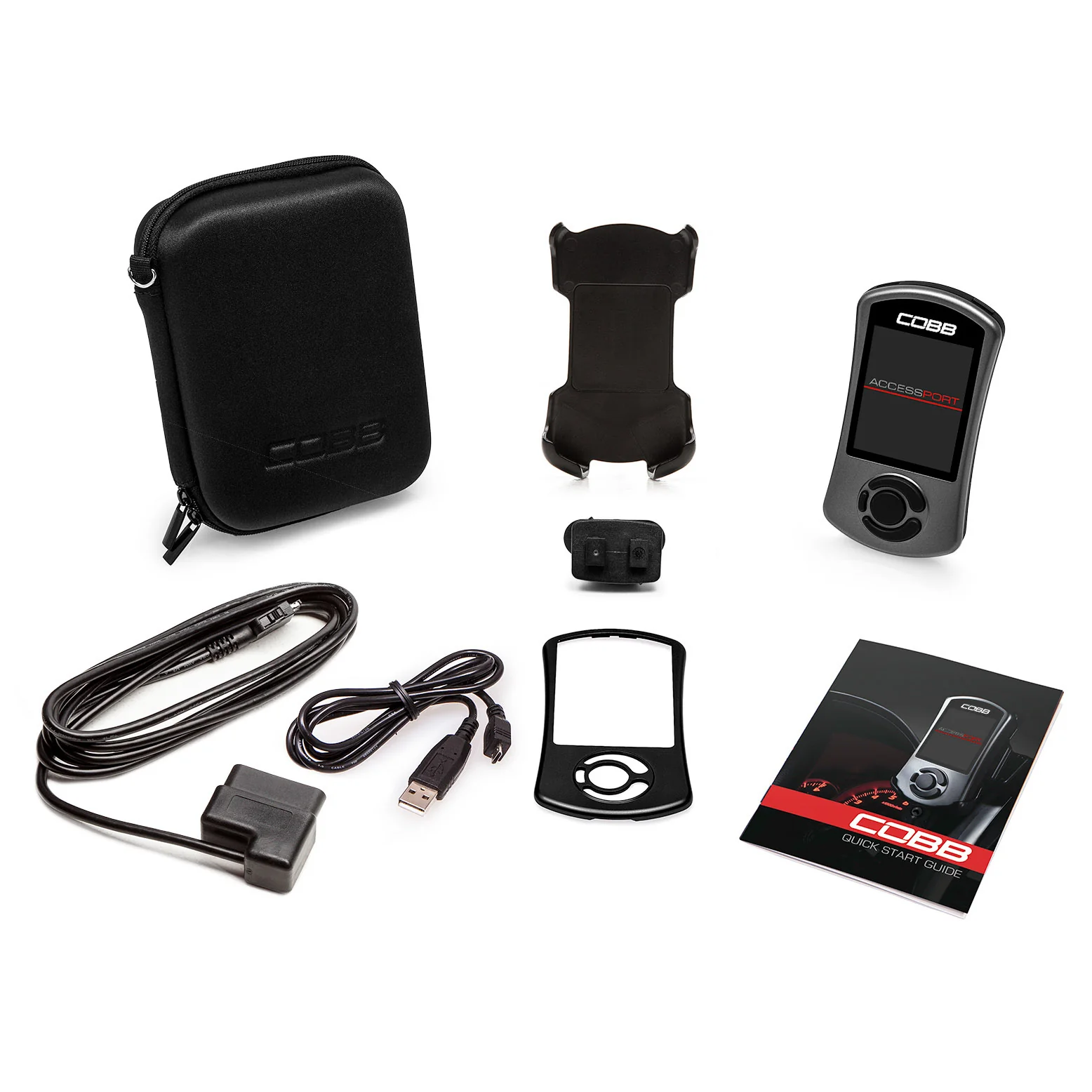
The Stage 1 + CAN Flex Fuel Power Package includes an Accessport V3, Carbon Fiber Intake System, and the CAN Flex Fuel Upgrade for your Raptor 2017-2020.
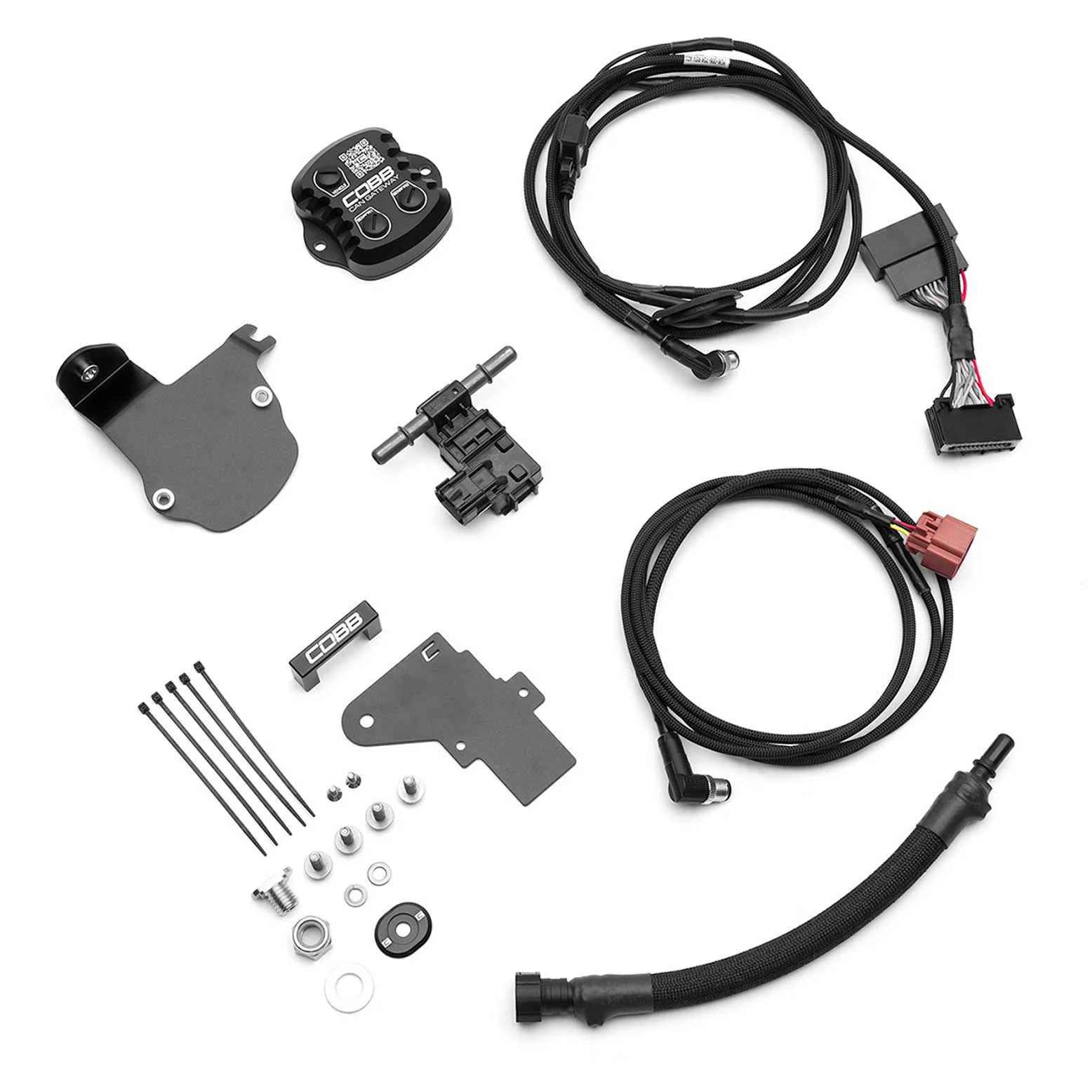
The COBB CAN Gateway Flex Fuel Upgrade for Ford Raptor measures the ethanol content level of the fuel being pumped into your engine and then sends that data to the ECU to be used in an Accessport delivered Flex Fuel calibration.
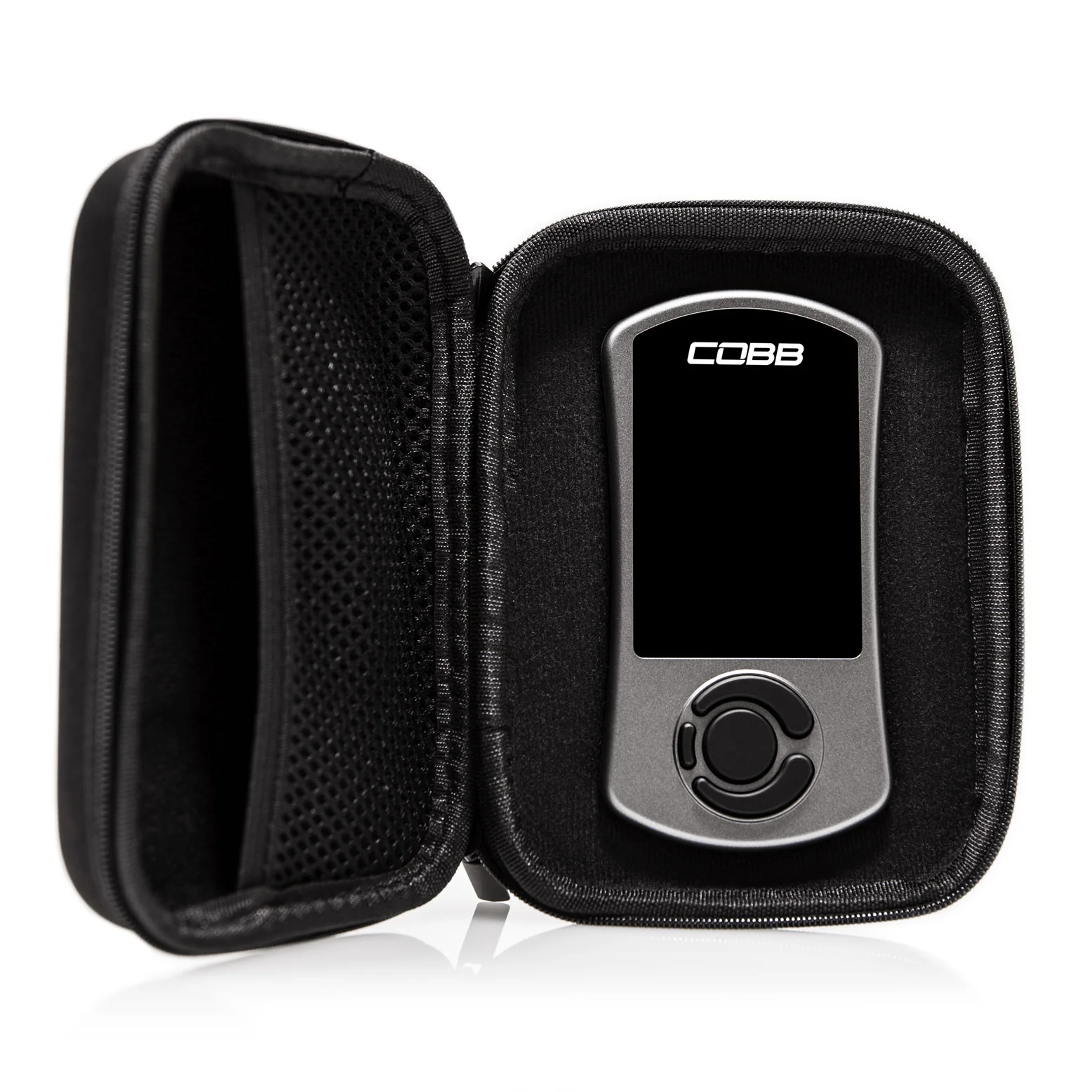
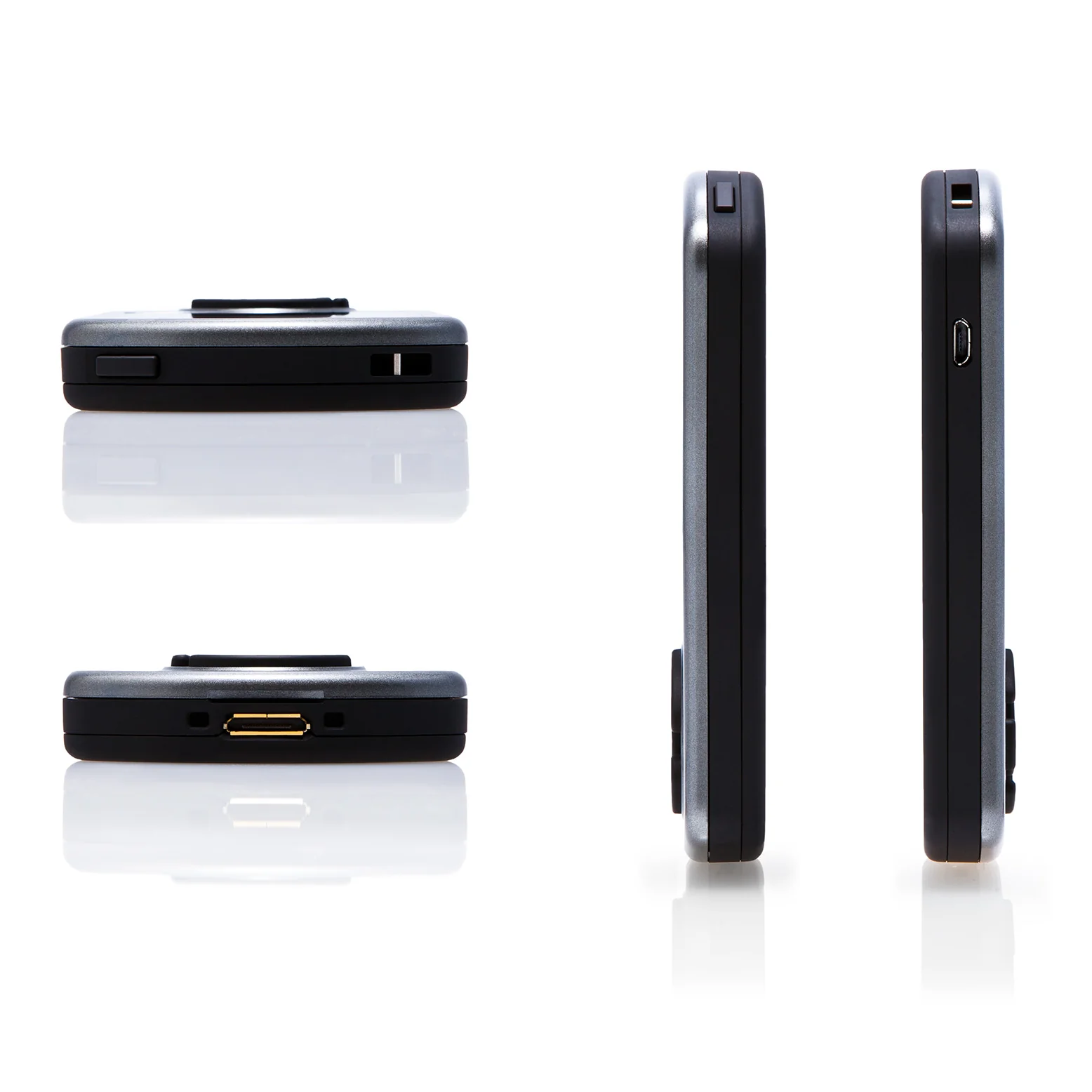
The Accessport V3 is the world's best selling, most flexible ECU upgrade solution for Ford. Unlock power hidden within the vehicle by replacing conservative factory settings with more aggressive calibrations. Upgrade forever with off-the-shelf (OTS) calibrations for most bolt-on modifications. It's the last engine management solution you'll ever need.
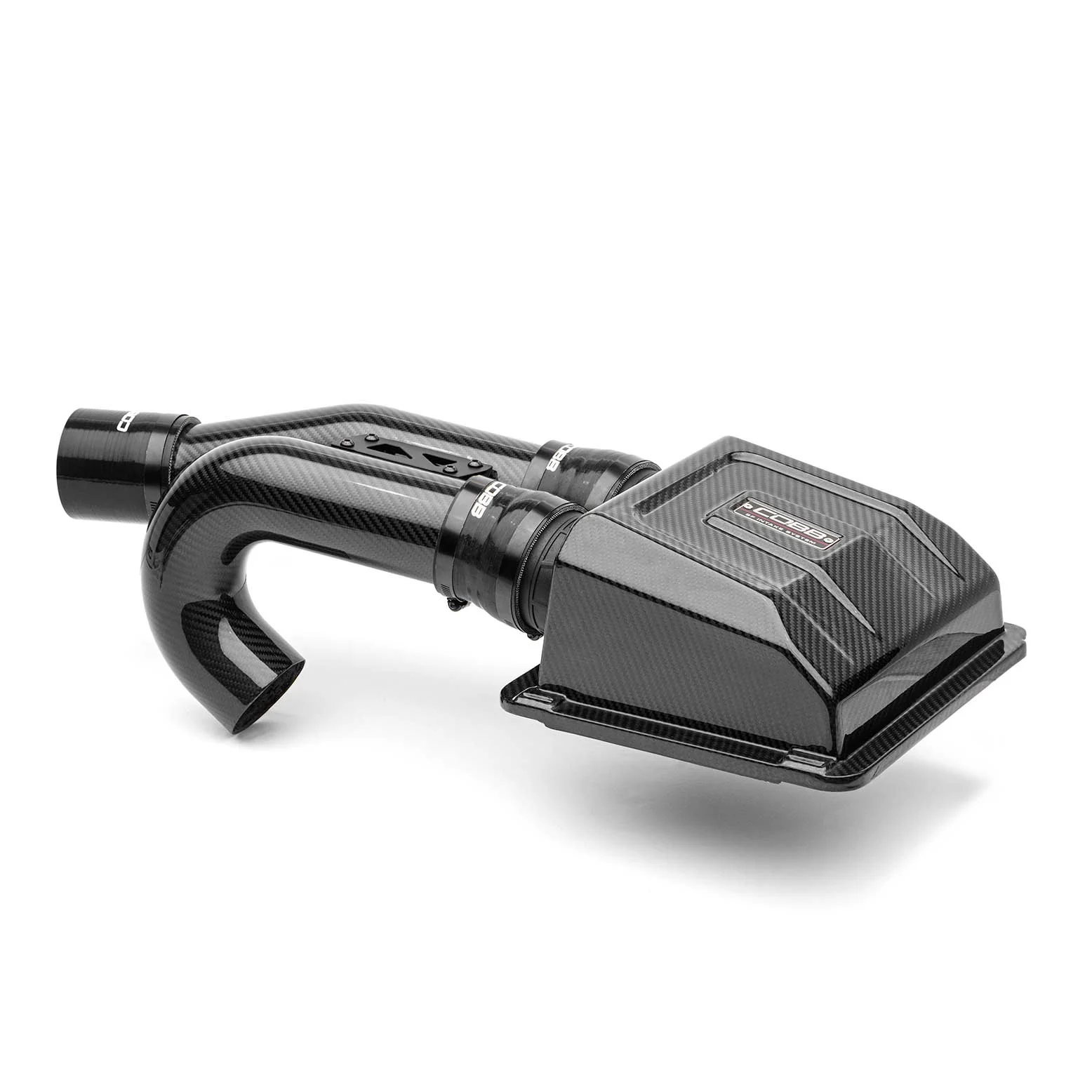
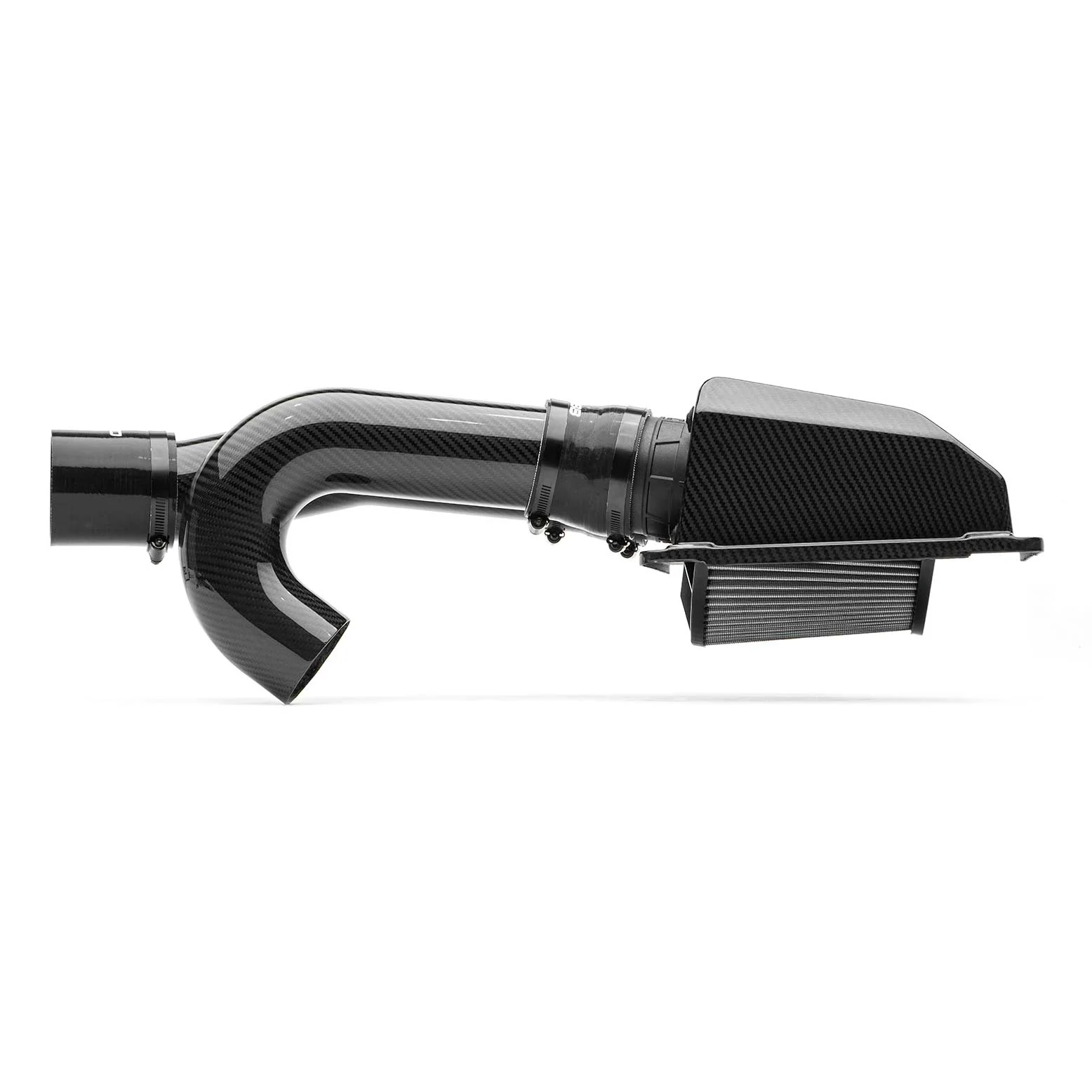
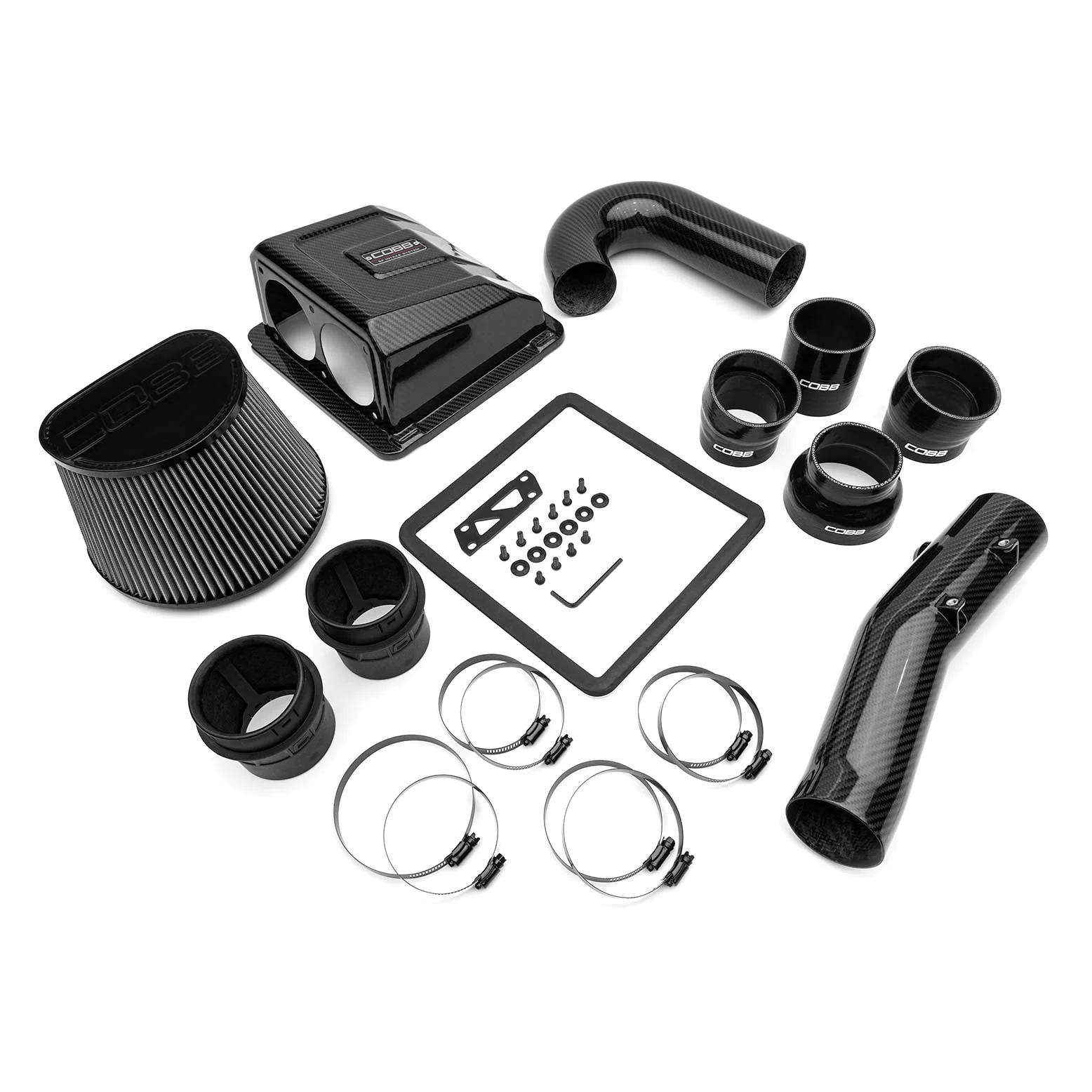
All of the carbon fiber pieces in the intake system are constructed of a 3k tow in a 2x2 twill weave pattern with a gloss clear coat. Factory piping from the air-box is replaced with 3" tubing to maximize airflow. A bespoke carbon airbox lid replaces the factory piece and allows installation of our reusable dual-inlet, high flow filter offering 165% additional surface area over stock. Black 4-ply silicone couplers are held in place with black e-coated stainless steel clamps, offering a sleek look and OEM-quality installation.
Interactive dyno chart: hover or tap lines for HP and TQ percentages.
FEATURED VIDEO
Why?
The Accessport is the world’s best selling, most flexible, and easiest to use ECU upgrade solution for your Ford F-150 Raptor. Unlock power hidden within the vehicle by replacing conservative factory settings with more aggressive calibrations. Follow our staged upgrade path with pre-loaded Off The Shelf (OTS) maps or use custom mapping for any modification level. It’s the last engine management solution you’ll ever need.
CLICK HERE FOR MAP NOTES & POWER GAINS
Features
- Accessport V3
- Carbon Fiber Intake System
- CAN Flex Fuel Upgrade
- Compatible with COBB Accessport OTS Maps

Ford Raptor Specific Features:
COBB CAN Gateway / Flex Fuel Support: The COBB CAN Gateway Flex Fuel Upgrade measures the ethanol content level of the fuel being pumped into your engine and then sends that data to the ECU to be used in an Accessport delivered Flex Fuel calibration.
AUTO START-STOP ADJUSTMENT: A common complaint with the Raptor was the bothersome auto start/stop setting. There was no easy way to turn it off and keep it off with subsequent key cycles. The Auto Start-Stop feature accomplishes just that! With this feature you can set enable/disable Auto Start-Stop and the setting will be retained even after the vehicle is turned off. To use this feature go to “Tune” > “Adjustments” > “Auto Start-Stop” > and then select “1” if you want it to be enabled or “0” to disable.
FUEL PUMP CONTROL: You guessed it. This feature allows control of the in-tank fuel pump. This is especially useful if you want to drain the fuel tank to run different fuels, depressurize the fuel system to change injectors, or are needing to drain the fuel tank for any other reason. To use this feature (see Accessport steps below), with the engine running set the value to -1. This will turn off the fuel pump and the engine will shut down when fuel pressure reaches its lowest. You can then disconnect the fuel line and route it to a container. You can then key ON and set the value to 1 turning the fuel pump back on which would then drain your fuel tank.
DYNAMIC PEDAL CONTROL: This feature can be used to enhance or dull your accelerator pedal response. You can set this value from -5 to 10. Each reduction from 0 to -5 will decrease pedal response by 20%. This could be useful if you’re wanting to limit power or fuel consumption. Each increment from 0 to 10 will increase your pedal response by 10%. This will make the truck feel faster since the throttle will open more with less pedal input. Below is a graphical representation comparing throttle pedal input (x axis) with the amount the throttle body is opening (y axis) for each setting. Also shown is the pathway on the Accessport to adjust this setting.
VALET MODE: Valet Mode can be used to reduce maximum power output by limiting throttle to about 25%. A value of 1 will enable valet mode. A value of 0 will return to normal. This setting will be retained even through key cycles and does not require changing maps! Below shows how to adjust Valet Mode on the Accessport.
Product Information
Product Information
Shipping & Returns
Shipping & Returns

Cobb Stage 1+ CAN Flex Fuel Redline Carbon Fiber Power Package - Ford F-150 Ecoboost Raptor 2017-2020
Cobb Stage 1+ CAN Flex Fuel Redline Carbon Fiber Power Package - Ford F-150 Ecoboost Raptor 2017-2020
Emissions
NOT LEGAL FOR SALE OR USE IN CALIFORNIA ON ANY EMISSION CONTROLLED MOTOR VEHICLE.
Testing with the California Air Resources Board, in order to achieve 50-state compliance, is pending. Once testing is complete with California, and an EO number is issued, this product will be updated to 50-state legal status.
Description
The Stage 1 + CAN Flex Fuel Power Package includes an Accessport V3, Carbon Fiber Intake System, and the CAN Flex Fuel Upgrade for your Raptor 2017-2020.
The COBB CAN Gateway Flex Fuel Upgrade for Ford Raptor measures the ethanol content level of the fuel being pumped into your engine and then sends that data to the ECU to be used in an Accessport delivered Flex Fuel calibration.
The Accessport V3 is the world's best selling, most flexible ECU upgrade solution for Ford. Unlock power hidden within the vehicle by replacing conservative factory settings with more aggressive calibrations. Upgrade forever with off-the-shelf (OTS) calibrations for most bolt-on modifications. It's the last engine management solution you'll ever need.
All of the carbon fiber pieces in the intake system are constructed of a 3k tow in a 2x2 twill weave pattern with a gloss clear coat. Factory piping from the air-box is replaced with 3" tubing to maximize airflow. A bespoke carbon airbox lid replaces the factory piece and allows installation of our reusable dual-inlet, high flow filter offering 165% additional surface area over stock. Black 4-ply silicone couplers are held in place with black e-coated stainless steel clamps, offering a sleek look and OEM-quality installation.
Interactive dyno chart: hover or tap lines for HP and TQ percentages.
FEATURED VIDEO
Why?
The Accessport is the world’s best selling, most flexible, and easiest to use ECU upgrade solution for your Ford F-150 Raptor. Unlock power hidden within the vehicle by replacing conservative factory settings with more aggressive calibrations. Follow our staged upgrade path with pre-loaded Off The Shelf (OTS) maps or use custom mapping for any modification level. It’s the last engine management solution you’ll ever need.
CLICK HERE FOR MAP NOTES & POWER GAINS
Features
- Accessport V3
- Carbon Fiber Intake System
- CAN Flex Fuel Upgrade
- Compatible with COBB Accessport OTS Maps
Ford Raptor Specific Features:
COBB CAN Gateway / Flex Fuel Support: The COBB CAN Gateway Flex Fuel Upgrade measures the ethanol content level of the fuel being pumped into your engine and then sends that data to the ECU to be used in an Accessport delivered Flex Fuel calibration.
AUTO START-STOP ADJUSTMENT: A common complaint with the Raptor was the bothersome auto start/stop setting. There was no easy way to turn it off and keep it off with subsequent key cycles. The Auto Start-Stop feature accomplishes just that! With this feature you can set enable/disable Auto Start-Stop and the setting will be retained even after the vehicle is turned off. To use this feature go to “Tune” > “Adjustments” > “Auto Start-Stop” > and then select “1” if you want it to be enabled or “0” to disable.
FUEL PUMP CONTROL: You guessed it. This feature allows control of the in-tank fuel pump. This is especially useful if you want to drain the fuel tank to run different fuels, depressurize the fuel system to change injectors, or are needing to drain the fuel tank for any other reason. To use this feature (see Accessport steps below), with the engine running set the value to -1. This will turn off the fuel pump and the engine will shut down when fuel pressure reaches its lowest. You can then disconnect the fuel line and route it to a container. You can then key ON and set the value to 1 turning the fuel pump back on which would then drain your fuel tank.
DYNAMIC PEDAL CONTROL: This feature can be used to enhance or dull your accelerator pedal response. You can set this value from -5 to 10. Each reduction from 0 to -5 will decrease pedal response by 20%. This could be useful if you’re wanting to limit power or fuel consumption. Each increment from 0 to 10 will increase your pedal response by 10%. This will make the truck feel faster since the throttle will open more with less pedal input. Below is a graphical representation comparing throttle pedal input (x axis) with the amount the throttle body is opening (y axis) for each setting. Also shown is the pathway on the Accessport to adjust this setting.
VALET MODE: Valet Mode can be used to reduce maximum power output by limiting throttle to about 25%. A value of 1 will enable valet mode. A value of 0 will return to normal. This setting will be retained even through key cycles and does not require changing maps! Below shows how to adjust Valet Mode on the Accessport.
Product Information
Product Information
Shipping & Returns
Shipping & Returns
Description
Emissions
NOT LEGAL FOR SALE OR USE IN CALIFORNIA ON ANY EMISSION CONTROLLED MOTOR VEHICLE.
Testing with the California Air Resources Board, in order to achieve 50-state compliance, is pending. Once testing is complete with California, and an EO number is issued, this product will be updated to 50-state legal status.
Description
The Stage 1 + CAN Flex Fuel Power Package includes an Accessport V3, Carbon Fiber Intake System, and the CAN Flex Fuel Upgrade for your Raptor 2017-2020.
The COBB CAN Gateway Flex Fuel Upgrade for Ford Raptor measures the ethanol content level of the fuel being pumped into your engine and then sends that data to the ECU to be used in an Accessport delivered Flex Fuel calibration.
The Accessport V3 is the world's best selling, most flexible ECU upgrade solution for Ford. Unlock power hidden within the vehicle by replacing conservative factory settings with more aggressive calibrations. Upgrade forever with off-the-shelf (OTS) calibrations for most bolt-on modifications. It's the last engine management solution you'll ever need.
All of the carbon fiber pieces in the intake system are constructed of a 3k tow in a 2x2 twill weave pattern with a gloss clear coat. Factory piping from the air-box is replaced with 3" tubing to maximize airflow. A bespoke carbon airbox lid replaces the factory piece and allows installation of our reusable dual-inlet, high flow filter offering 165% additional surface area over stock. Black 4-ply silicone couplers are held in place with black e-coated stainless steel clamps, offering a sleek look and OEM-quality installation.
Interactive dyno chart: hover or tap lines for HP and TQ percentages.
FEATURED VIDEO
Why?
The Accessport is the world’s best selling, most flexible, and easiest to use ECU upgrade solution for your Ford F-150 Raptor. Unlock power hidden within the vehicle by replacing conservative factory settings with more aggressive calibrations. Follow our staged upgrade path with pre-loaded Off The Shelf (OTS) maps or use custom mapping for any modification level. It’s the last engine management solution you’ll ever need.
CLICK HERE FOR MAP NOTES & POWER GAINS
Features
- Accessport V3
- Carbon Fiber Intake System
- CAN Flex Fuel Upgrade
- Compatible with COBB Accessport OTS Maps
Ford Raptor Specific Features:
COBB CAN Gateway / Flex Fuel Support: The COBB CAN Gateway Flex Fuel Upgrade measures the ethanol content level of the fuel being pumped into your engine and then sends that data to the ECU to be used in an Accessport delivered Flex Fuel calibration.
AUTO START-STOP ADJUSTMENT: A common complaint with the Raptor was the bothersome auto start/stop setting. There was no easy way to turn it off and keep it off with subsequent key cycles. The Auto Start-Stop feature accomplishes just that! With this feature you can set enable/disable Auto Start-Stop and the setting will be retained even after the vehicle is turned off. To use this feature go to “Tune” > “Adjustments” > “Auto Start-Stop” > and then select “1” if you want it to be enabled or “0” to disable.
FUEL PUMP CONTROL: You guessed it. This feature allows control of the in-tank fuel pump. This is especially useful if you want to drain the fuel tank to run different fuels, depressurize the fuel system to change injectors, or are needing to drain the fuel tank for any other reason. To use this feature (see Accessport steps below), with the engine running set the value to -1. This will turn off the fuel pump and the engine will shut down when fuel pressure reaches its lowest. You can then disconnect the fuel line and route it to a container. You can then key ON and set the value to 1 turning the fuel pump back on which would then drain your fuel tank.
DYNAMIC PEDAL CONTROL: This feature can be used to enhance or dull your accelerator pedal response. You can set this value from -5 to 10. Each reduction from 0 to -5 will decrease pedal response by 20%. This could be useful if you’re wanting to limit power or fuel consumption. Each increment from 0 to 10 will increase your pedal response by 10%. This will make the truck feel faster since the throttle will open more with less pedal input. Below is a graphical representation comparing throttle pedal input (x axis) with the amount the throttle body is opening (y axis) for each setting. Also shown is the pathway on the Accessport to adjust this setting.
VALET MODE: Valet Mode can be used to reduce maximum power output by limiting throttle to about 25%. A value of 1 will enable valet mode. A value of 0 will return to normal. This setting will be retained even through key cycles and does not require changing maps! Below shows how to adjust Valet Mode on the Accessport.